
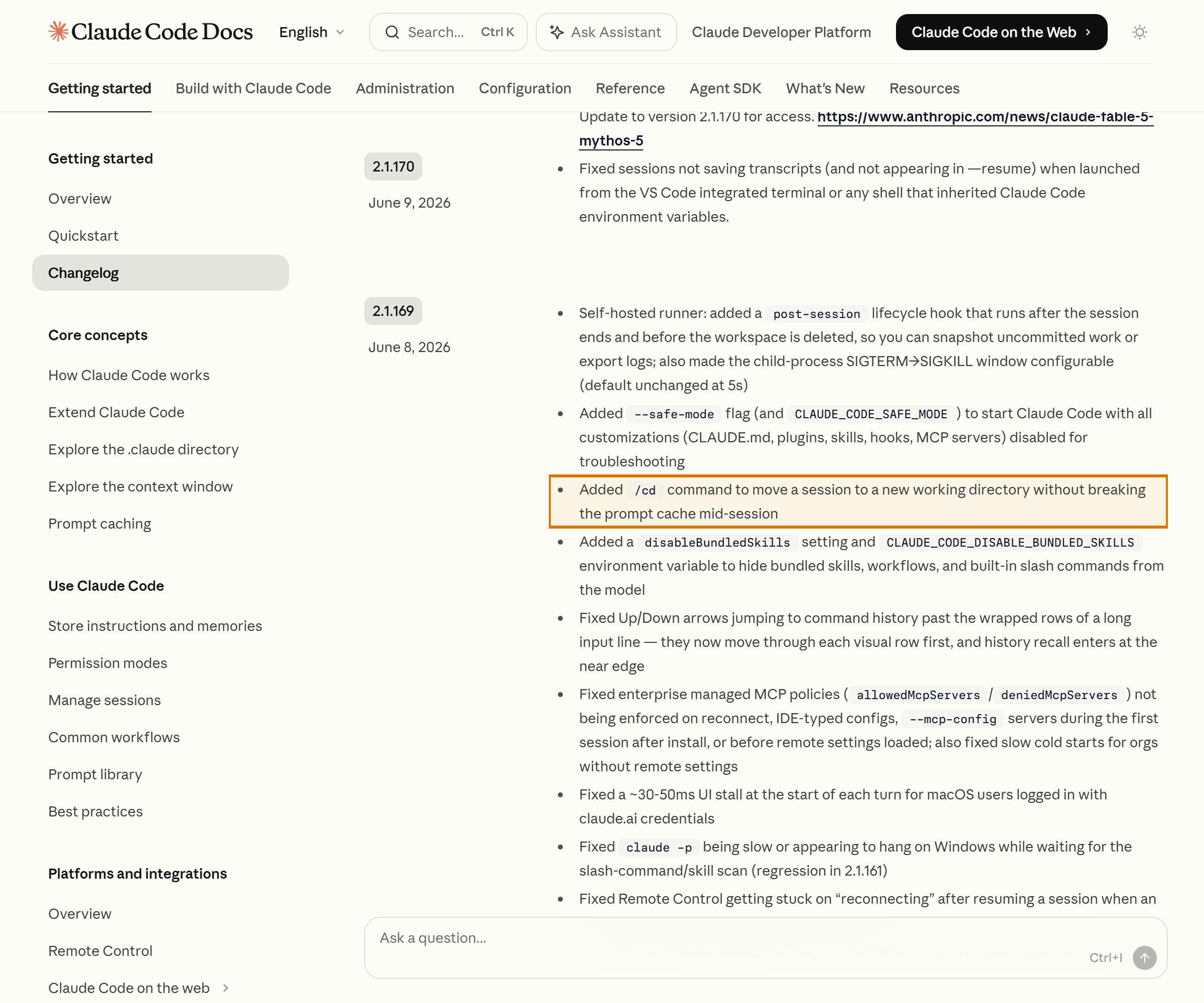
In short: Claude Code’s /cd command switches your working directory while leaving the conversation session intact, and it doesn’t break the prompt cache mid-session.
Claude Code has gained one small command: /cd. As the name suggests, it changes the working directory, but the real point is in how it does it. It moves you to a different folder while keeping the conversation context — without starting a new session — and, crucially, it doesn’t break the prompt cache mid-session. Based on the behavior Anthropic describes in the official documentation, here’s what this command actually changes in day-to-day use.
Contents
- What the /cd command does
- What “doesn’t break the prompt cache” means
- How to use it in a monorepo
- How it differs from the old way
- FAQ
What the /cd command does
/cd moves the working directory of the current Claude Code session to a path you specify. Two things are preserved at once here. One is the conversation context built up so far, and the other is the prompt cache. To put the official documentation’s description plainly, this command’s job is to change the working directory without breaking the prompt cache mid-session.
Using it in work that actually hops across several folders, the first thing I felt was that the routine of ending a session just to change folders and opening a new one had vanished. I could carry on in a new folder without re-explaining the discussion we’d just had. The full list of slash commands and how to use them is on the slash commands page in the Claude Code official documentation.
What “doesn’t break the prompt cache” means
To understand this command’s value, you first have to unpack what the prompt cache is. The prompt cache is a way of caching the conversation context that gets reused over and over. Because the same context doesn’t have to be reprocessed from scratch every time, it helps cut the processing cost and latency of each subsequent response.
So what happens when that cache breaks? The next response has to reprocess the context, which can make responses slower and more expensive. The slowdown I noticed while running long sessions pointed the same way. The longer the session and the thicker the context, the more it paid off to keep working with the cache intact. That’s exactly why /cd makes a point of stating that it “doesn’t break the cache.” It’s designed so that a common action — changing folders — doesn’t cost you the cache’s benefit. The advantage of preserving the prompt cache is especially large in multi-session work that moves across several projects.

How to use it in a monorepo
The most direct beneficiaries are monorepos and multi-project environments — cases where a single repository holds several packages, or where you have to go back and forth between different project folders. Here, just switch folders with /cd and you can carry the conversation and cache you’ve had up to now straight into work in another module.
Imagine, for instance, wanting to take a structure you discussed in the frontend package and reflect it over in the backend package. Rather than opening a new session and rebuilding the context, the natural flow is to switch folders with /cd and pick right back up. This kind of multi-folder operation ties into your context strategy too, and the flow for handling a large context is worth reading alongside the write-up on Claude Code’s default model and 1M context.
How it differs from the old way
Previously, working in a different folder usually meant ending the session and launching Claude Code again from that path. In that case the conversation context is reset, and while you rebuild the context in the new session, the cache benefit also starts over from scratch. /cd avoids both losses at once. Because you only change folders inside the session, the context carries over and the prompt cache is preserved.
To sum up, this command is less about adding a new capability and more about removing the waste that used to occur in a frequently repeated action. If you’re a heavy slash-command user, looking through a collection of Claude Code write-ups and posts on work automation together helps you take stock of your workflow. The detailed behavior and naming may be adjusted in later versions, so always make your final check against the Claude Code official changelog.
FAQ
Q. If I use /cd, does the conversation context so far disappear?
No. /cd is a command that only changes the working directory while keeping the session. The conversation context built up in the meantime carries straight over.
Q. Does changing folders reset the prompt cache?
Per the official documentation, /cd is designed not to break the prompt cache mid-session. So you can keep the cache benefit even after moving folders.
Q. When is it most useful?
When you have to move across several folders within one session, like in a monorepo. You can continue working in another folder without starting a new session.
The /cd command isn’t a feature that stands out on screen, but for a developer moving across several projects, it’s a change that trims the friction of repetitive work. Just being able to switch the working directory while keeping the conversation context and the prompt cache is enough to change the habit of opening and closing sessions. It’s also worth watching how Anthropic continues to refine its slash commands going forward.
Sources: Claude Code official changelog, Claude Code official docs — Slash commands