
Two Claude Code sessions on one checkout is a race condition with extra steps. One session builds a feature, the other fixes a bug, and both write to the same files.
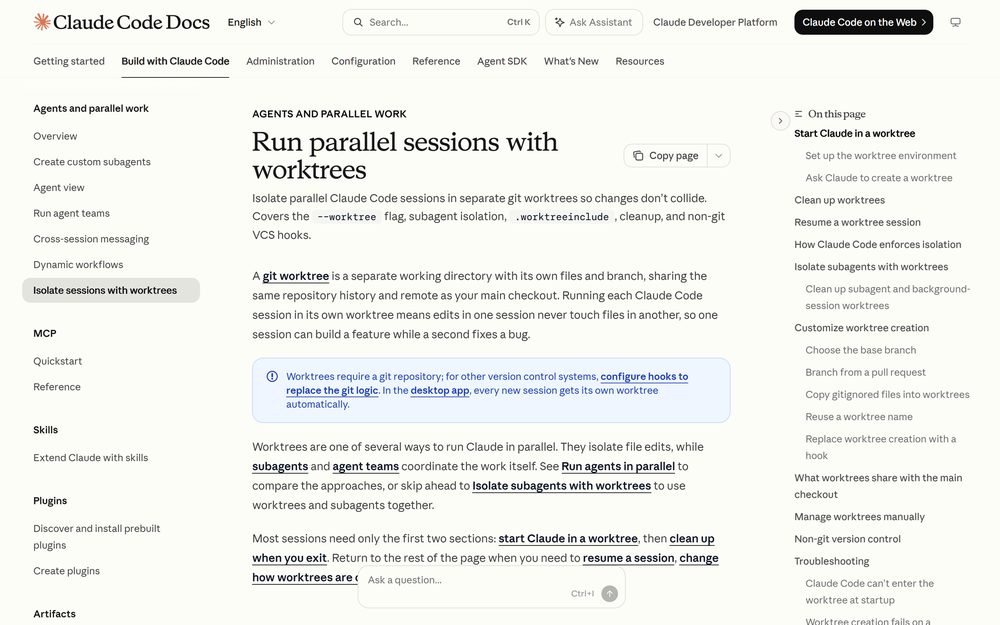
Parallel sessions need parallel checkouts. A git worktree is a separate working directory with its own files and branch, sharing the repository history and remote with your main checkout — which is why Anthropic built worktree support into the CLI instead of leaving it to the developer. Claude Code has first-class support for them, and the support goes further than “run git worktree add yourself” — it actively blocks tool calls that would escape the worktree.
Starting a session in a worktree
Pass --worktree (or -w) with a name:
claude --worktree feature-auth
By default the worktree is created under .claude/worktrees/<name>/ at your repository root, on a new branch named worktree-<name>. Run the command again with a different name in another terminal and you have a second isolated session. Omit the name and Claude generates one such as bright-running-fox.
Add .claude/worktrees/ to your .gitignore so worktree contents do not show up as untracked files in the main checkout.
Interactive runs require workspace trust. If you have not run Claude in the directory before, run claude once there to accept the trust dialog — otherwise --worktree exits with an error. Non-interactive runs with -p skip the trust check.
You can also ask Claude to “work in a worktree” mid-session, which calls the EnterWorktree tool. When Claude tries to enter a path outside the repository’s .claude/worktrees/ directory, Claude Code asks for approval first, because the move takes the session’s working directory, write access, and project configuration such as CLAUDE.md with it. A permission rule or “don’t ask again” does not suppress that prompt; only bypassPermissions skips it.
Branching from a pull request
--worktree accepts a PR or MR reference — a number prefixed with #, a GitHub pull request URL, or a GitLab merge request URL. Quote it so your shell does not treat # as a comment:
claude --worktree "#1234"
Claude Code fetches that change’s head commit from origin and creates the worktree at .claude/worktrees/pr-<number>. It picks the fetch path by origin‘s host: pull/<number>/head for github.com, merge-requests/<number>/head for gitlab.com, and tries both on anything else.
Why your .env is missing
A worktree is a fresh checkout, so gitignored files like .env are simply not there. This surprises everyone once.
The fix is a .worktreeinclude file in your project root, using .gitignore syntax:
.env
.env.local
config/secrets.json
Only files that match a pattern and are also gitignored are copied, so tracked files are never duplicated. This applies to every worktree Claude Code creates with git — --worktree worktrees, subagent worktrees, and parallel sessions in the desktop app.
One gotcha with **/ patterns: if the files you want live inside a directory that is gitignored as a whole, Claude Code copies them only when that directory itself matches the pattern, or when the first name after **/ is one of the names in the directory’s path. Write vendor/**/config.json rather than **/config.json when you need to reach into an ignored directory.
The worktree is also a fresh checkout for dependencies. Install them there, or ask Claude to.
The four checks that make isolation real
This is the part that separates Claude Code’s worktree support from doing it by hand. While a session is isolated, Claude Code blocks tool calls that would reach back into the main checkout. The same rules apply whether you used --worktree, Claude called EnterWorktree, or you resumed a worktree session — and they cover every subagent spawned from that session.
| Check | What gets blocked |
|---|---|
| File edits | An Edit, Write, or NotebookEdit targeting a path in the main checkout |
| Command working directory | A Bash, PowerShell, or Monitor command whose working directory resolves to the main checkout, or that cannot be verified to stay outside it |
| Git redirects | A command that redirects git into the main checkout via git -C, --git-dir, GIT_DIR, GIT_WORK_TREE, or a cd before running git |
| Command shape | A command Claude Code cannot verify stays inside the worktree — brace expansion, heredocs with unquoted delimiters. This check cannot be turned off. |
That last row explains an error people hit and misread as a bug: a perfectly ordinary heredoc gets refused inside a worktree because Claude Code will not trace it without running it. The refusal message tells Claude how to rewrite the command, usually by splitting it into plain separate commands. For PowerShell, only the working-directory check applies.
Isolating subagents
Subagents can each get their own worktree so parallel edits do not conflict. Ask Claude to “use worktrees for your agents”, or make it permanent for a custom subagent with one frontmatter line:
---
name: refactorer
description: Applies mechanical refactors across many files
isolation: worktree
---

Apply the requested refactor across every affected file, then run the tests
and report the results.
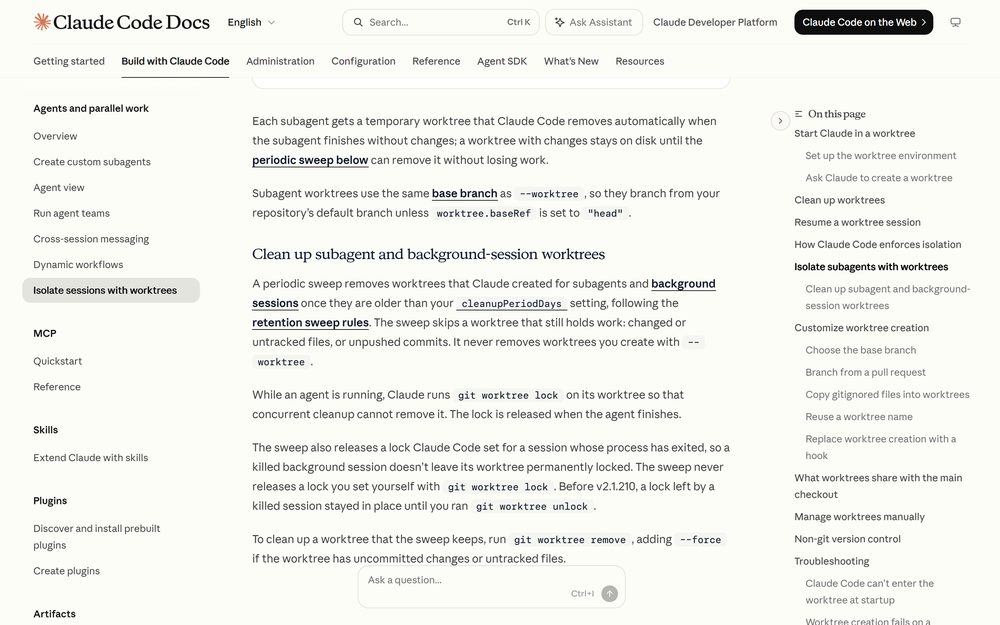
Each subagent gets a temporary worktree that Claude Code removes automatically when the subagent finishes without changes. A worktree with changes stays on disk until a periodic sweep can remove it without losing work.
While an agent is running, Claude runs git worktree lock on its worktree so concurrent cleanup cannot remove it, and releases the lock when the agent finishes.
Cleanup, and what survives
When you exit an interactive worktree session, Claude checks for work that removal would delete — changed or untracked files, and new commits.
- Clean worktree, unnamed session: removed automatically along with its branch.
- Clean worktree, named session: you are prompted first, so you can keep it.
- Worktree with work in it: you are prompted to keep or remove. Removing deletes the directory, the branch, and everything in them.
Non-interactive -p runs have no exit prompt, so their worktrees are not cleaned up and the creation lock stays until a later stale-lock sweep releases it. Remove one with git worktree remove, running git worktree unlock first if git refuses.
The periodic sweep removes subagent and background-session worktrees older than your cleanupPeriodDays setting. It skips any worktree that still holds work, and it never removes worktrees you created with --worktree.
What a worktree shares with the main checkout
Not everything is isolated, and the exceptions are useful:
- The
.gitdirectory is shared, sogit commitworks from inside a worktree even with sandboxing enabled. - Project-scope plugins installed from the main checkout load in worktrees of the same repository, so no reinstall per worktree. Requires v2.1.200 or later.
- Permission approvals: “Yes, and don’t ask again” in a worktree saves the rule to the main checkout’s
.claude/settings.local.json, so it applies everywhere and survives the worktree’s removal. Before v2.1.211 the approval was saved inside the worktree and lost with it.
The hook trap
If you have hooks, read this before you start using worktrees.
${CLAUDE_PROJECT_DIR} does not follow Claude into the worktree. It still points at the project root where the session started, so a hook command like ${CLAUDE_PROJECT_DIR}/.claude/hooks/check-style.sh runs the script in the main checkout.
What does follow is the cwd field in the hook’s input JSON — that is the worktree root, and it moves again when Claude runs cd. If your hook needs the worktree path, read cwd from stdin rather than assuming the project dir.
Choosing the base branch
New worktrees branch from the repository’s default branch. Set worktree.baseRef to change that:
"fresh"(default) — branch from the default branch on the remote, so the worktree starts clean."head"— branch from your current localHEAD, carrying unpushed commits and feature-branch state. Use this when isolating subagents that need to work on in-progress changes.
You cannot set baseRef to a branch name. To start from a specific existing branch, create the worktree with git directly:
git worktree add ../project-bugfix fix-issue-456
Not using git?
Worktree isolation is git-based by default, but WorktreeCreate and WorktreeRemove hooks replace the creation and cleanup logic entirely — SVN, Perforce, Mercurial, or a custom path outside .claude/worktrees/. Because the hook replaces the git behavior, .worktreeinclude is not processed; copy local config files inside your hook script instead.
Note the unusual exit-code rule for WorktreeCreate: any non-zero exit fails creation, not just exit code 2.
When to reach for this
Worktrees isolate files. Subagents and agent teams coordinate work. They compose: a team of teammates each in its own worktree is the setup for a genuinely parallel refactor.
For most people the payoff is simpler than that. One terminal on a feature, one on a bug, no overwrites, and a cleanup prompt that will not silently delete work you forgot to commit.