
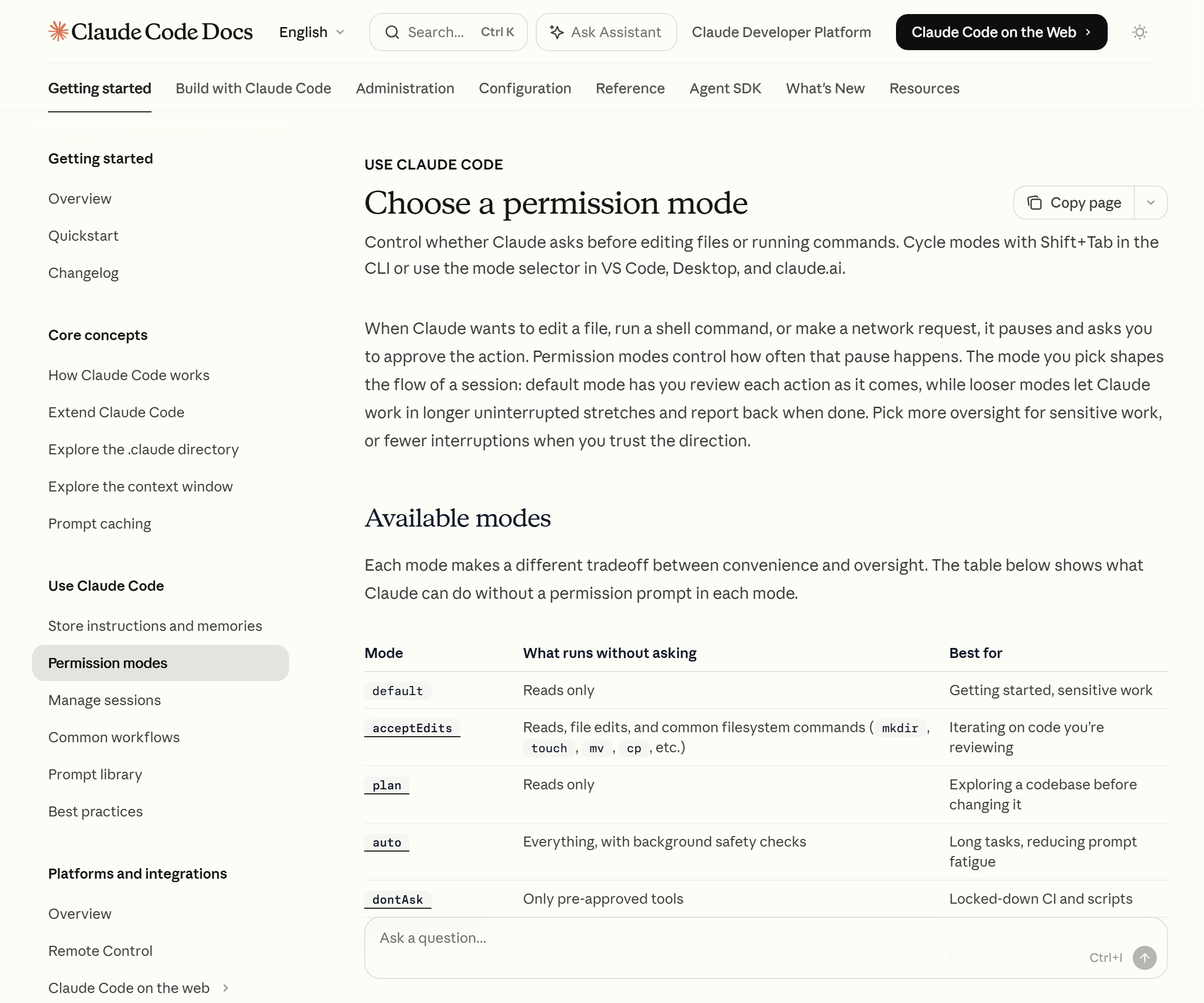
Summary. Claude Code’s Auto Mode is a permission mode in which a separate classifier model inspects every action right before it runs. It blocks behavior that goes beyond the scope of your request, touches unfamiliar infrastructure, or appears pulled along by hostile content. Unlike the defenseless bypassPermissions, it’s a “cut the prompts but keep the safety net” approach.
Any developer who runs AI agents daily knows approval fatigue. When an “allow this?” window pops up every time you fix one file or run one command, the autonomy rings hollow. I too, running workflow automation, got worn down by the endless confirmation windows and eventually fled to bypassPermissions mode, which skips every check. It was convenient, but nerve-wracking. That’s because, as the official docs state plainly, that mode provides no protection whatsoever against prompt injection or unintended behavior.
Auto Mode is a feature aimed at exactly that dilemma. Using the behavior written in Anthropic’s official permission-modes docs (code.claude.com/docs/en/permission-modes) as the baseline, this post lays out how Auto Mode’s classifier makes an agent’s autonomous execution safe. But first, one caveat: Auto Mode is officially at the research preview stage, and its detailed behavior and version-by-version rules may change going forward.
Contents
- What Auto Mode is — the classifier model is the core
- The order in which the three stages — auto-approve, confirm, block — operate
- What’s blocked by default vs. allowed
- Boundaries you state mid-conversation become blocking signals
- The safeguard that reverts to normal mode when blocks repeat
- How it differs from bypassPermissions
What Auto Mode is — the classifier model is the core
Auto mode is a permission mode that lets Claude Code run work without the everyday permission prompts. The core is a separate classifier model. This classifier reviews every action before it runs.
The official docs specify the behavior the classifier blocks in three branches.
- Behavior that escalates beyond your request
- Behavior targeting unrecognized infrastructure
- Behavior that appears pulled along by hostile content Claude has read
In plain terms, it’s a structure where the classifier blocks actions that step outside the bounds of what I asked, touch a server I don’t know, or get swayed by malicious instructions hidden in external documents or web pages. Using Auto Mode requires Claude Code v2.1.83 or higher.
One more thing here. Auto Mode also nudges Claude to keep going rather than stopping to ask midway. That said, if a prompt or skill explicitly relies on user confirmation, it still asks then. If you want to keep the prompts but only want stronger autonomous execution, the docs recommend the Proactive output style instead of Auto Mode.
The order in which the three stages — auto-approve, confirm, block — operate
What fate a given action meets in Auto Mode follows a fixed decision order. The first stage that matches decides the outcome.
- Actions caught by allow/deny rules are decided immediately. However, writes to protected paths are sent to the classifier even if an allow rule matches.
- Read-only operations and file edits within the working directory are auto-approved (except protected paths).
- Everything else is all handed to the classifier.
- If the classifier blocks it, Claude receives the reason and tries a different alternative.
In the end, the texture the user sees is threefold: pre-allowed or safe local work is auto-approved, work the classifier judges risky is blocked, and work caught by an explicit ask rule brings up a confirmation prompt. Rather than a coarse ON/OFF, it filters actions into three branches according to context.
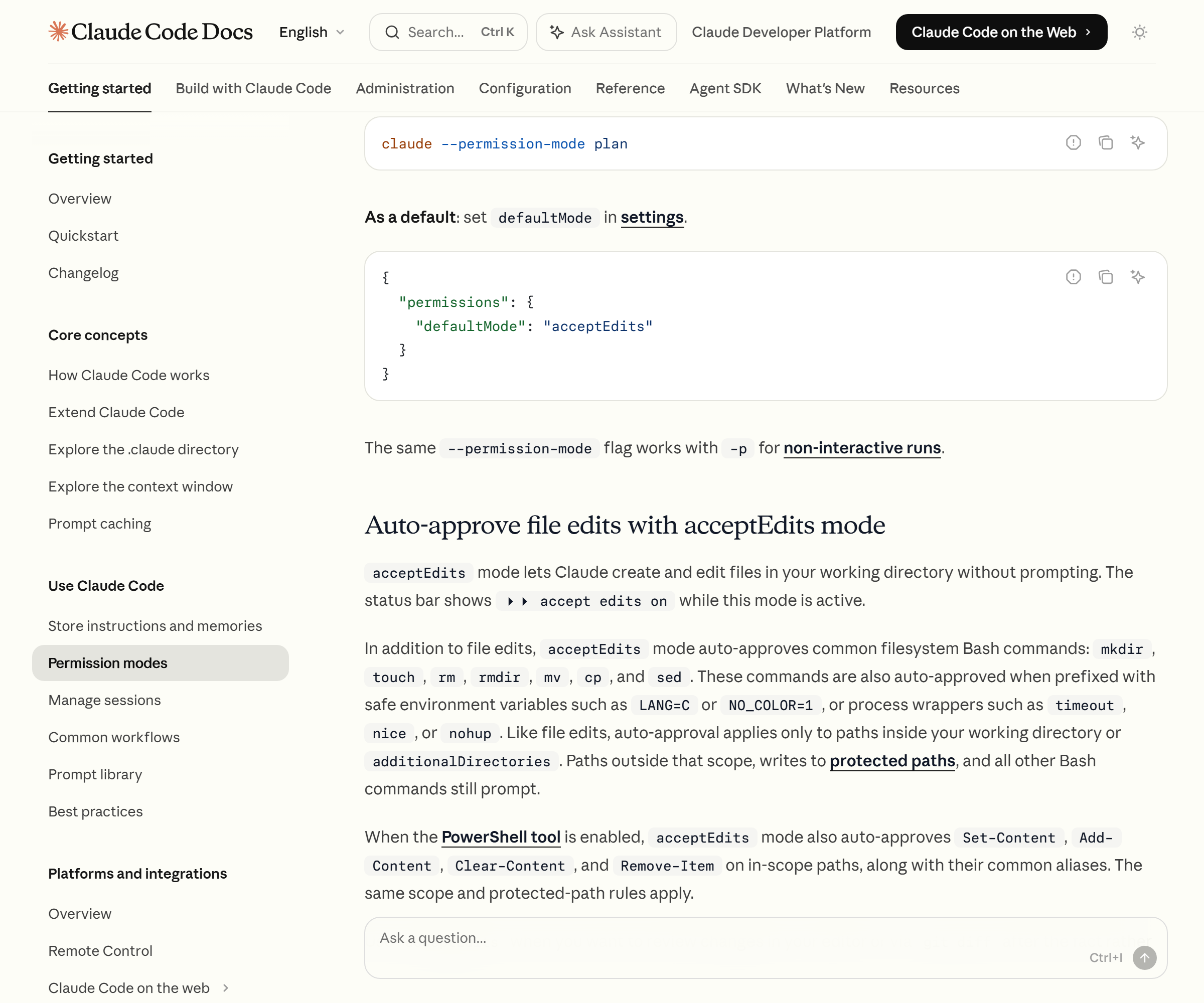
Another important thing happens the moment you enter Auto Mode: the broad allow rules that permitted arbitrary code execution automatically drop away. That covers a blanket Bash(*) or PowerShell(*), interpreter wildcards like Bash(python*), package-manager run commands, and Agent allow rules. Narrow rules like Bash(npm test), on the other hand, stay intact. The dropped rules are restored once you exit Auto Mode.
Seeing this design put one of my worries to rest. I had a project where, for convenience, I’d put a blanket Bash(*) in allow — and Auto Mode simply ignores that blunt permission and routes it back to the classifier check. It means that a door I’d left loosely open is guarded once more by the classifier during autonomous-execution stretches.
What’s blocked by default vs. allowed
The Auto Mode classifier trusts only my working directory and the remotes configured on the repository, and treats everything else as external. The default lists the official docs specify are as follows.
Blocked by default
- Downloading code and running it immediately, as in
curl | bash - Sending sensitive data to an external endpoint
- Production deploys and migrations
- Bulk deletion of cloud storage
- Granting IAM or repository permissions
- Modifying shared infrastructure
- Irreversibly destroying files that existed before the session
- Force push, or pushing directly to
main git reset --hard,git checkout -- .,git restore .,git clean -fd,git stash drop,git stash clear— the classifier treats these as discarding uncommitted changes (as of v2.1.182)- Resource-destroying applies such as
terraform destroy,pulumi destroy, andcdk destroy
Allowed by default
- Local file work within the working directory
- Installing dependencies declared in a lock file or manifest
- Reading
.envand sending credentials to a matching API - Read-only HTTP requests
- Pushing to the branch you started on or a branch Claude created
There’s a detail worth noting here. Destructive git commands weren’t blocked from the start — the docs note that the git reset --hard family entered the block list as of version v2.1.182. In other words, the safety rules themselves are getting denser version by version. You can check the full ruleset directly with the claude auto-mode defaults command.
Boundaries you state mid-conversation become blocking signals
What’s interesting in Auto Mode is that the classifier takes a boundary I state mid-conversation as a blocking signal. Say “don’t push” or “don’t deploy until I review,” and the classifier blocks an action that would have been allowed under the default rules. This boundary holds until you lift it yourself later, and it isn’t lifted by Claude’s own judgment alone that “the condition has been met.”
There’s a limit you absolutely must know about, though. This boundary isn’t saved as a rule; the classifier re-reads it from the conversation history each time it checks. So if context compaction removes the message where you stated that boundary, the boundary can disappear along with it.
I have a memory of breaking into a cold sweat over this. In a long session I had clearly specified early on to “hold off on deploying,” and only belatedly realized the possibility that, as the conversation grew long, that instruction had been pushed out by compaction. So the conclusion is clear. A spoken boundary is merely a convenience device; if you need a firm guarantee, you have to pin it down with a deny rule. The official docs also advise, “add a deny rule if you need a hard guarantee.”
The safeguard that reverts to normal mode when blocks repeat
When the classifier blocks something, a notification appears and it’s recorded in the ‘Recently denied’ tab of /permissions. From there you can press r to retry with manual approval.
There’s one more layer of fallback safeguard on top. If the classifier blocks actions three times in a row or twenty times total during a session, Auto Mode pauses and Claude Code returns to normal prompts. Approve the action that comes up as a prompt and Auto Mode resumes. This threshold can’t be adjusted. If even one action is allowed, the consecutive counter resets, but the total counter accumulates across the whole session.
What this design tells us is clear. Auto Mode getting blocked repeatedly is usually a signal that the classifier doesn’t know my infrastructure context. In that case, it’s built to hand the decision to a human rather than forcing it through. For reference, in the non-interactive mode that uses the -p flag there’s no user to ask, so if blocks repeat the session is stopped.
How it differs from bypassPermissions
Finally, let me touch on the industry significance. Until now, “setting an agent loose to run autonomously” often meant, in practice, bypassPermissions — a defenseless state that skips every check. It’s a dangerous enough choice that the official docs nail it down: that mode provides no protection against prompt injection or against unintended behavior. So the docs recommend using that mode only in isolated environments like an internet-less container or VM.
Auto Mode sits at the opposite pole. The same docs advise, “if you want a background safety check while cutting prompts far down, use Auto Mode.” The key difference is not removing the check, but moving the check from the human to the classifier. It’s an attempt to compromise, with a single layer called the classifier, on what used to be framed as an either-or between autonomy and safety.
Of course, the classifier isn’t all-powerful either. The docs themselves state that Auto Mode “reduces prompts but does not guarantee safety,” and draw a line: use it only for work in a direction you trust, and don’t let it replace review of sensitive work. They do put in layered defenses — detaching tool results from the classifier’s input so hostile content can’t directly steer the classifier, and having a separate server-side detection filter out suspicious content first — but that too is “a design that reduces risk,” not a perfect block.
I’ve always given up one side or the other, caught between endless approval windows and a defenseless bypass — and Auto Mode, I feel, drew a realistic middle ground between them for the first time. But to stress it again, this feature is at the research preview stage. The block/allow lists, and the supported models and version requirements, keep changing, so before you actually entrust autonomous execution to it, I’d recommend checking the current behavior once more in the official Claude Code permission-modes docs. Deciding what to allow an autonomous agent is, in the end, designing the environment in which I’ll entrust it with work.
Sources: Claude Code permission-modes docs (Anthropic), Auto Mode announcement blog (Anthropic), Auto Mode engineering deep-dive (Anthropic)